Every time control
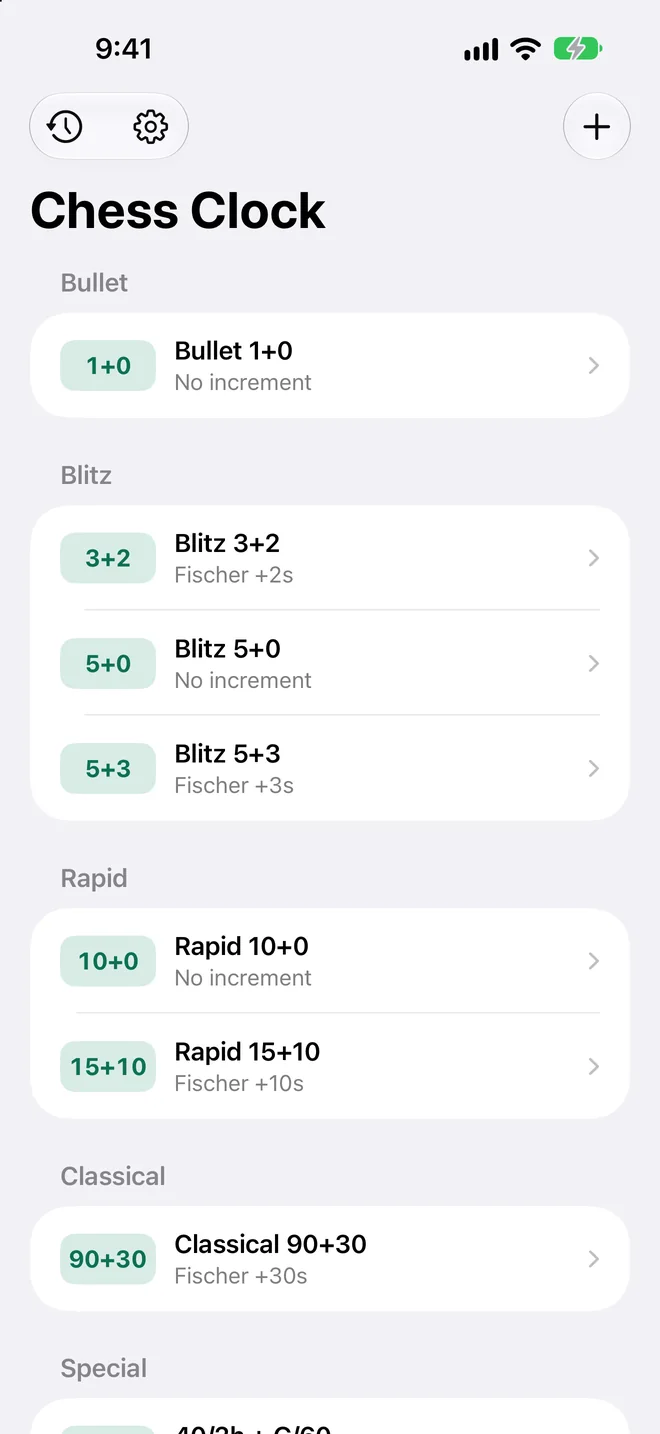
Presets from bullet to classical, with Fischer, Bronstein, simple delay and byo-yomi. Multi-stage controls too, like 40 moves in 2 hours and then 60 minutes.
Chess clock for iPhone and iPad
Rooktick is a chess clock for over-the-board games. It times both players, and it can keep the scoresheet too: every move, with the time it took.

 Scan with your iPhone camera
This one works. Tap the green side to make a move.
The clock
Everything a tournament clock does is free, with no ads and no sign-in.
Presets from bullet to classical, with Fischer, Bronstein, simple delay and byo-yomi. Multi-stage controls too, like 40 moves in 2 hours and then 60 minutes.
Build a custom clock and save it. Each player can have a different time, for handicap games.
The top half is upside down on purpose, so each player reads their own time from their side of the table.
The face changes colour as time runs short, and the clock can speak the times aloud.
A Live Activity keeps both clocks on the Lock Screen and in the Dynamic Island while a game is running.
Pause the game and add or remove a minute on either side, the way an arbiter would.
The scoresheet
No more stopping to write a move down. Recording moves is part of the free clock.
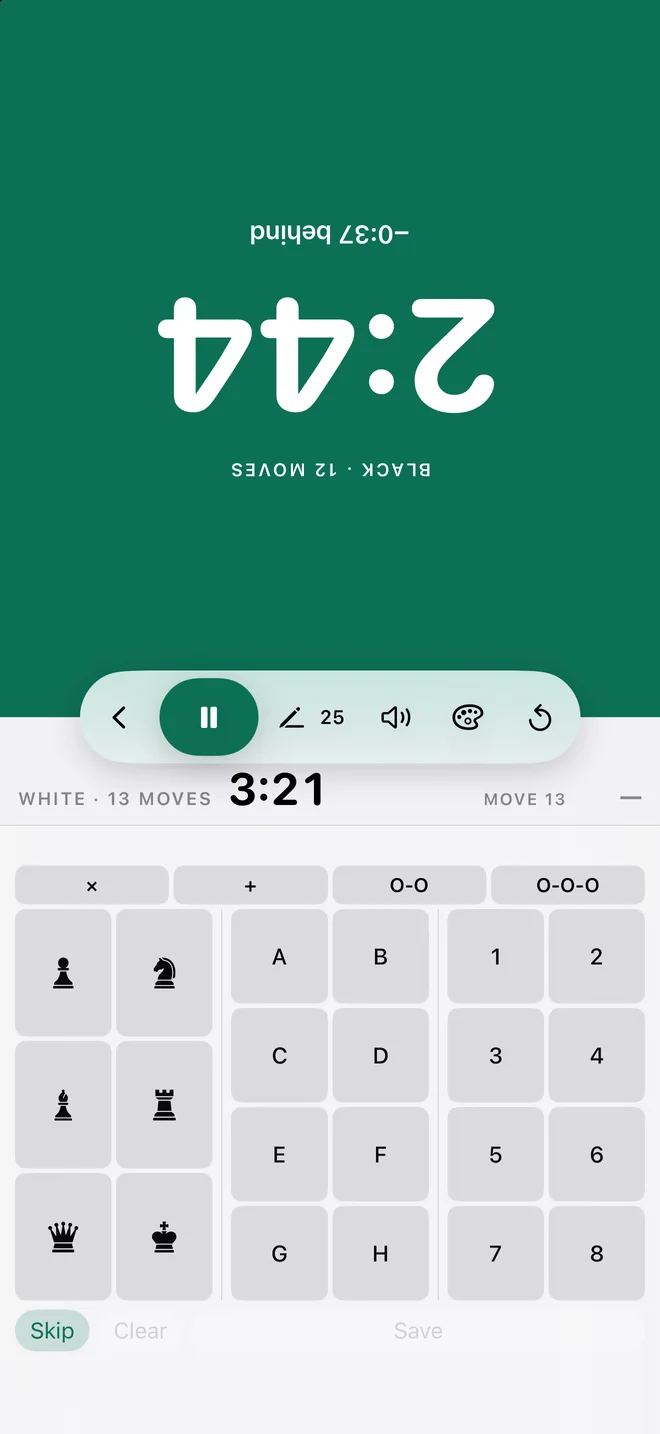
After each press a small keypad appears on the side that just moved. Choose the piece, file and rank, or say the move aloud.
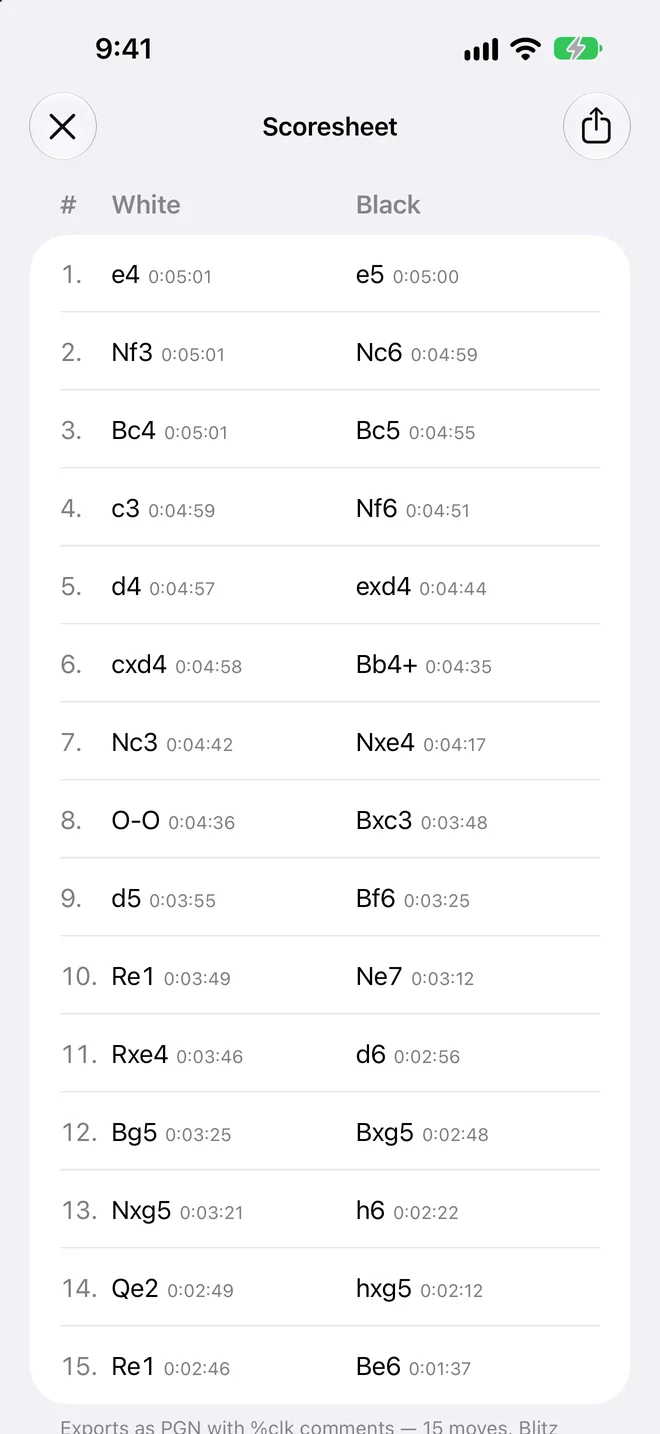
When the game ends you have the whole scoresheet, with the clock reading for every move on both sides.
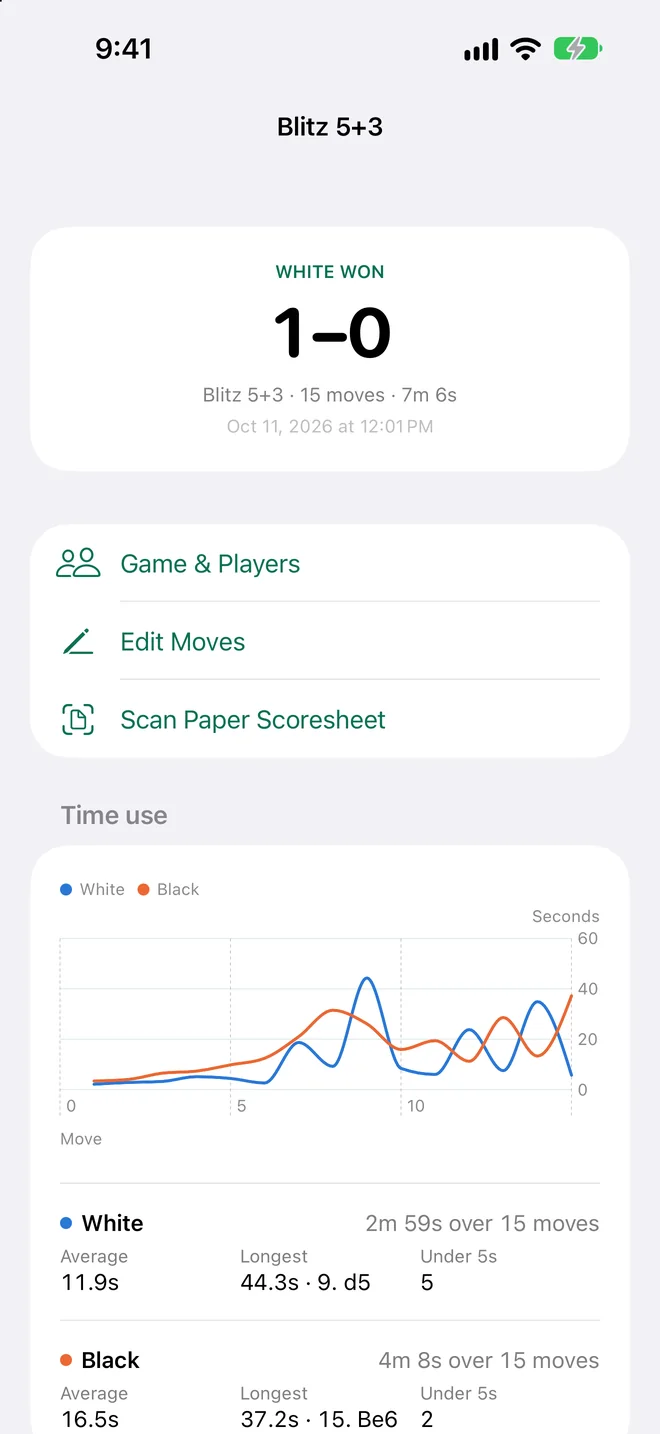
Finished games go to History with the result, the players and the time control. The last 10 are kept without Pro.
Chess Clock Pro
The clock is yours for free. Pro is for keeping, studying and sharing the games you play on it.
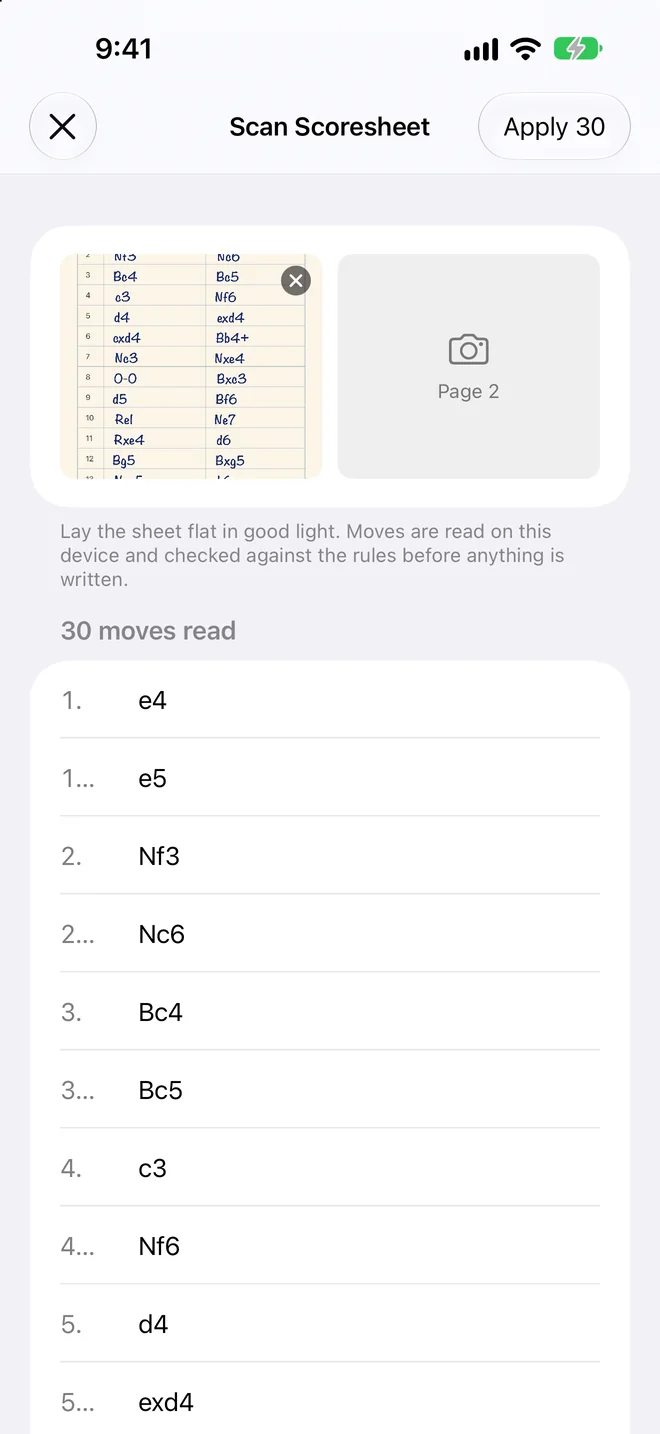
Photograph the sheet after the game. Every move is read on your device and checked against the rules.
Open games in Lichess, Chess.com or any chess app, with the clock time of every move.
Seconds per move for both sides, your longest thinks and your quick moves.
Every game you've played, not just the last 10.
Eight more themes, or make your own from any two colours.
Pro is a subscription with weekly, monthly and yearly plans. Two scoresheet scans are included without it. Scanning needs iOS 27 and a device with Apple Intelligence.
Themes
Classic comes with the clock. The others are part of Pro, along with themes you make from any two colours.
Privacy
Questions
Yes. Every time control, custom clocks, move recording, the Live Activity and the Classic theme are free, with no ads. Pro adds scoresheet scanning beyond the two included scans, PGN export, time-use statistics, the full game history and the other themes.
iPhone and iPad with iOS 26 or iPadOS 26, or later.
Scanning uses Apple Intelligence on the device, so it needs iOS 27 and a device that supports Apple Intelligence. Everything else works without it.
Forty-four, including English, Spanish, German, French, Hindi, Tamil, Arabic, Japanese and Chinese. The app follows your device language, and you can pick a different one for it in Settings.
In the Settings app, under your Apple Account and Subscriptions. Pro stays active until the end of the period you paid for.
Write to rooktick@pkc-dev.com.
 Scan with your iPhone camera